What is the MECCHA CHAMELEON Spider-Man trend?
Players searching for MECCHA CHAMELEON Spider-Man are usually looking for a recognizable paint idea, not a separate character unlock. The game's blank humanoid body can be colored directly, so creators use red, blue, black, and white to suggest the classic superhero silhouette and then pose on walls, ceilings, door frames, or furniture for screenshots and jokes.
There is no single official template that every player must copy. Community artwork ranges from careful comic-style suits to deliberately rough versions made for a quick laugh. That means the useful goal is readability: another player should understand the idea in one second without needing tiny chest logos or dozens of thin web lines.
This guide keeps the design inspired rather than exact. It does not provide copyrighted texture files, unofficial downloads, or claims that Spider-Man is an official MECCHA CHAMELEON collaboration.
A readable Spider-Man paint recipe
Start with large color zones before adding detail. Paint the head and center torso red, keep blue on the side torso and upper legs, and return to red on the forearms and lower legs. The alternating blocks make the silhouette readable even when the character is small on screen.
Use white only for two oversized eye shapes. Add a dark outline around the eyes and a few dark curves across the head or chest if the brush allows it. If the web pattern starts looking muddy, remove lines instead of adding more.
Simple four-color palette
#C61C2B · head, chest, forearms, boots#1A4F91 · side panels, upper legs, lower arms#17191D · eye outline and sparse web lines#F7F7F2 · large eye shapes onlyHow to paint the look in five steps
Work from broad shapes to narrow marks. Rotating the character after every major step helps you avoid an attractive front view with unfinished sides or back panels.
The exact controls may change with your input method, so use the normal palette, brush, camera, and undo controls shown by the current game build.
- Block the red base
Cover the head, chest center, forearms, hands, lower legs, and feet with one consistent red. Ignore web lines for now.
- Add blue side panels
Place blue on both sides of the torso, the outer arms, hips, and upper legs. Keep the left and right shapes roughly balanced.
- Paint large white eyes
Use two simple white almond or oval shapes. Make them larger than realistic eyes so they survive distance and motion.
- Outline and suggest webs
Outline the eyes with near black, then add only a few radial and curved lines on the mask and chest.
- Zoom out and clean edges
Judge the suit from normal play distance. Fix accidental dots, uneven color blocks, and details that disappear when zoomed out.
Poses and hiding spots that sell the joke
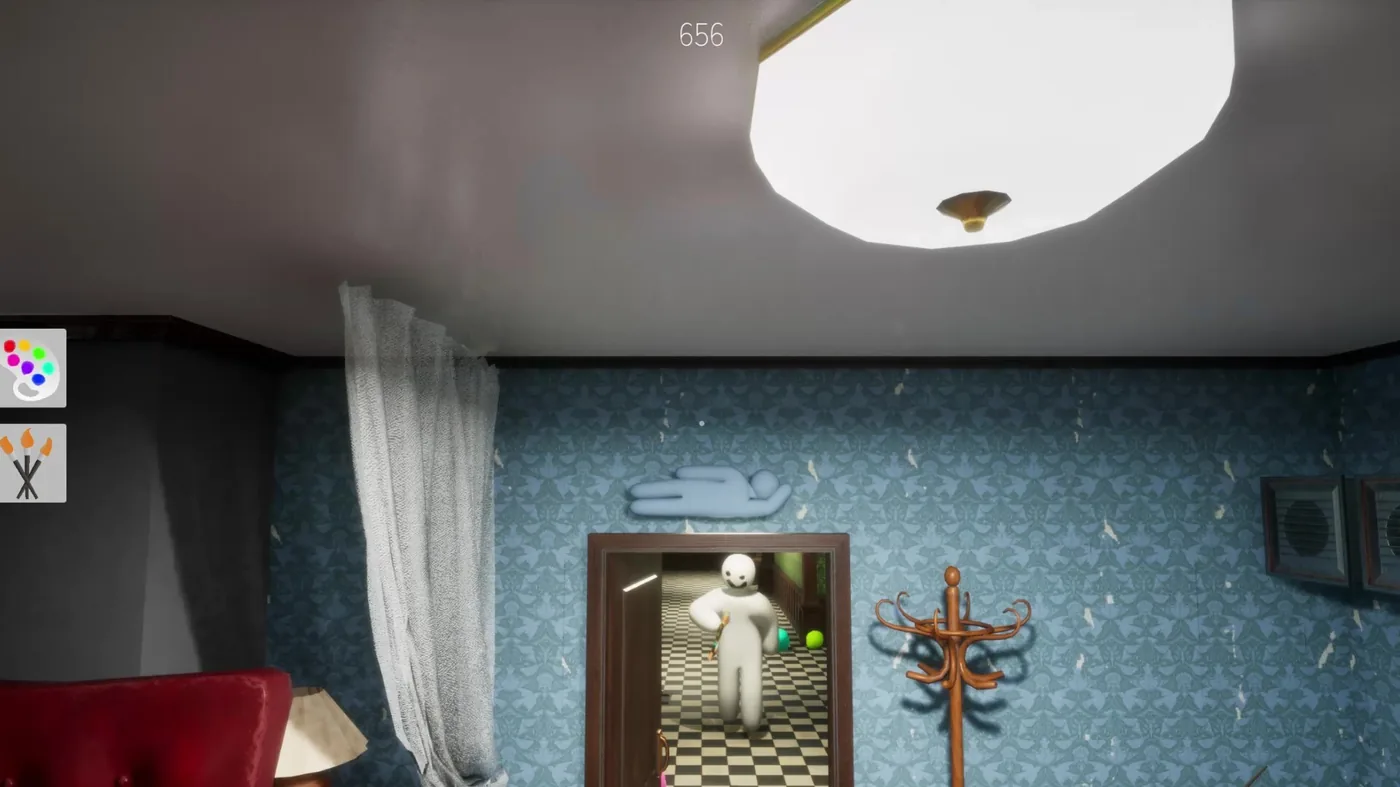
The paint design becomes more convincing when the pose matches the idea. Corners near the ceiling, narrow door frames, curtain edges, lamp shadows, and wall decorations can make the character look as if it is clinging to the room. Choose places that support the silhouette without completely hiding it.
For a screenshot, place the character against a plain wall with enough contrast to separate the red-and-blue body from the background. For an actual hiding round, reduce movement and avoid bright open walls where the color scheme becomes an obvious target.
Remember that a Spider-Man-inspired design is usually worse camouflage than a room-matched paint job. Use it for recognizable community art and playful poses, not as a guaranteed competitive strategy.
Common paint problems and quick fixes
Most failed versions use too many tiny marks or colors that merge together. The fixes below preserve the idea while making the character easier to read.
Save perfection for close-up artwork. In normal multiplayer scenes, strong blocks and clean eyes matter more than a complex chest emblem.
| Problem | Why it happens | Fix |
|---|---|---|
| The suit looks purple | Red and blue overlap or are too similar in brightness | Separate the zones and darken the blue |
| The face looks blank | Eyes are too small or low contrast | Enlarge the white shapes and add a dark border |
| Web lines look dirty | Too many thin strokes cross each other | Keep three to five major lines and erase the rest |
| The back looks unfinished | Only the front was checked | Rotate after each color stage and mirror the main blocks |
| The pose is unreadable | Background color swallows the outline | Move to a simpler wall or stronger side light |
Official and community references
Use the official store for the current game page and the Steam Community artwork gallery to verify that Spider-Man designs are player-created community paint work.
MECCHA CHAMELEON Spider-Man FAQ
Is Spider-Man an official MECCHA CHAMELEON skin?
No official licensed Spider-Man skin is required for the trend described here. Players paint a Spider-Man-inspired red-and-blue look on the normal blank character.
Do I need to download a Spider-Man mod?
No. The basic look can be created with the normal paint tools. Avoid unofficial executable files or login pages that promise a skin unlock.
What colors work best?
Use a bright or medium red, a noticeably darker blue, near black for outlines, and soft white for the eyes. Contrast matters more than exact hex values.
How do I make the web pattern readable?
Use fewer, thicker lines. Start with a few rays from the center of the face or chest, then connect them with two or three curves.
Where should I pose the character?
Ceiling corners, door frames, curtains, and wall decorations support a wall-crawling joke. For clear screenshots, use a simple background with strong contrast.
Is the design good for winning hide-and-seek rounds?
Usually not. Red and blue are easy to spot in many rooms. Treat the design as community art first and use environment-matched colors when competitive camouflage matters.
Related MECCHA CHAMELEON guides
Independent fan guide. Spider-Man is a Marvel character. This page describes player-made paint art and is not affiliated with Marvel, Sony, Steam, or the MECCHA CHAMELEON developer.